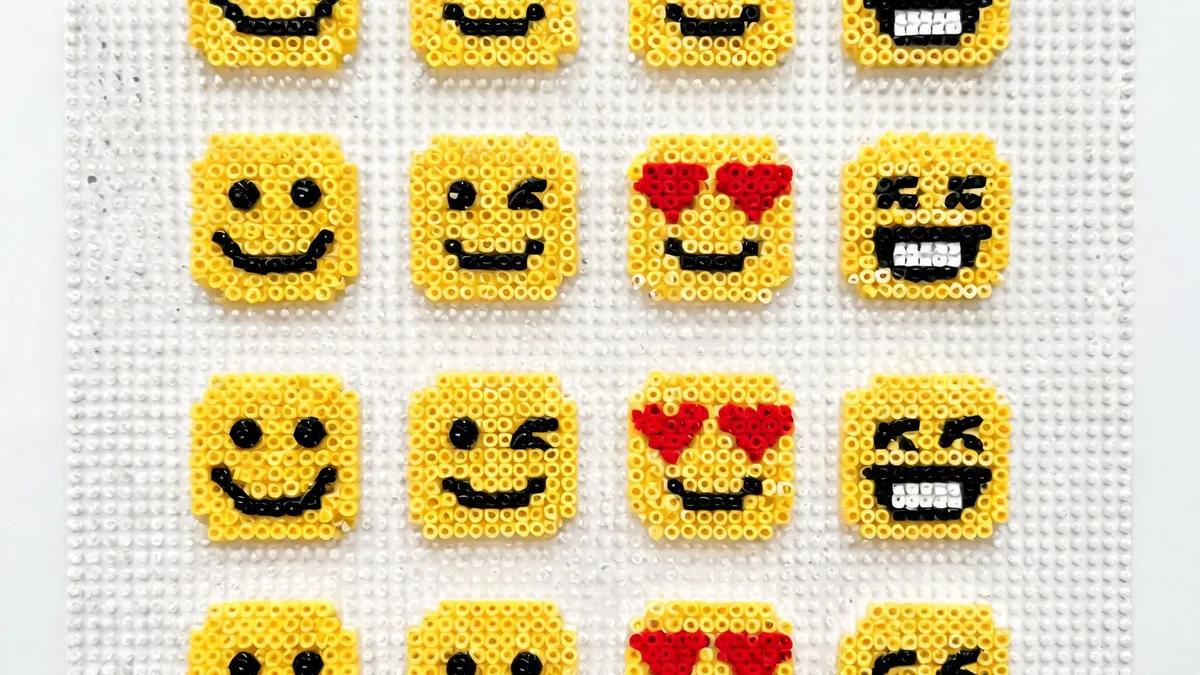
Fuse Bead Emoji Collection: Patterns, Color Guides & Tutorials
Create adorable fuse bead emoji! Smiley faces, hearts, animals & food with color guides, step-by-step tutorials, and pro tips for perfect pixel art.
Why Fuse Bead Emojis Are Taking Over Craft Rooms
Essential Materials and Tools for Emoji Fuse Beads
Smiley Faces and Hearts: Classic Emoji Patterns with Color Guides
Animal and Food Emojis: Step-by-Step Tutorials
Pro Tips for Perfect Emoji Fuse Beads
Displaying and Sharing Your Emoji Collection
Perguntas Frequentes
What size pegboard do I need for emoji fuse beads?
Most emoji designs fit on a standard 10x10 or 15x15 pegboard. For larger or more detailed emojis, you can connect multiple square boards. A common size is the 29x29 pegboard, which allows for bigger projects. If you're just starting, a 10x10 board is perfect for simple smileys and hearts. Check our pegboard guide for more recommendations.
How do I prevent my emoji fuse beads from warping?
Warping happens when the beads cool unevenly. To prevent it, iron both sides evenly and place a heavy book or flat weight on the design while it cools completely. Avoid removing the beads from the pegboard too soon. Also, use a consistent ironing temperature and don't over-iron. For detailed steps, see our how-to-iron guide.
Can I use any brand of fuse beads for emoji patterns?
Yes, but different brands have slight variations in size and melting behavior. Perler, Hama, and Artkal are the most popular and compatible with each other. However, mixing brands can sometimes lead to uneven fusing. It's best to stick with one brand for a project. Our brand comparison guide can help you choose.
What are some easy emoji designs for beginners?
Start with the classic yellow smiley, a simple red heart, or a basic star. These designs use few colors and have straightforward shapes. The pizza slice and donut are also relatively easy. Avoid complex animal faces with many details until you're comfortable with ironing. Our beginner's guide has more simple patterns.
Pronto para criar seus próprios padrões?
Abrir o criador gratuito